How Seniors Can Use Smartphones for Independent Living: 2026 Complete Guide

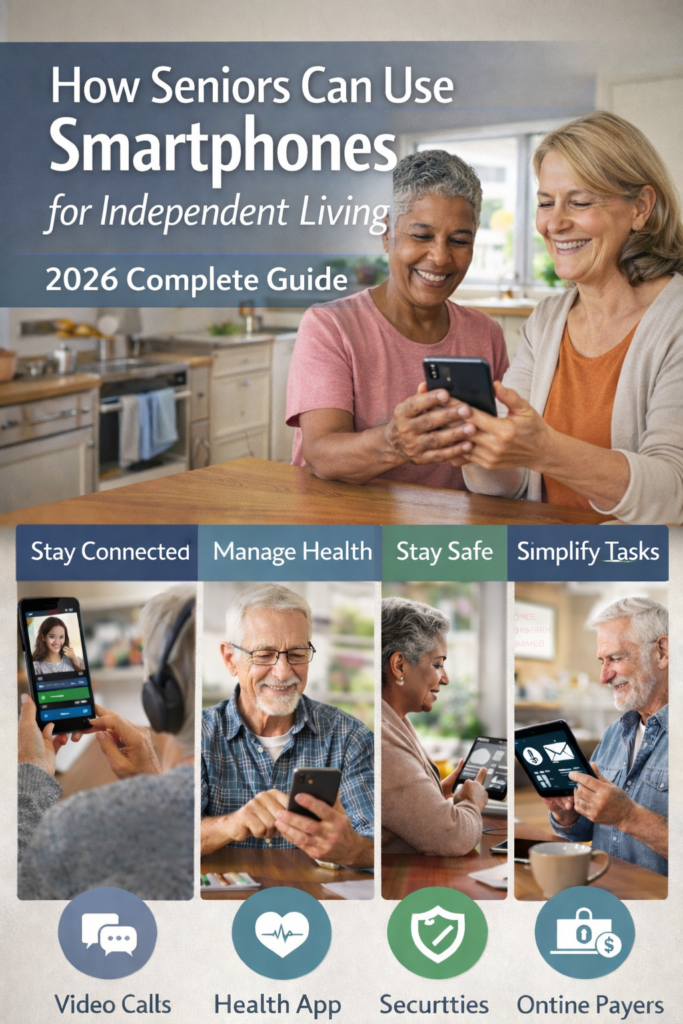
Step-by-Step Instructions for Accessing Healthcare, Safety Features, Home Services, Transportation, and Social Connection Through Your Cellphone.

How Seniors Can Use Smartphones for Independent Living: 2026 Complete Guide
Nearly 80% of seniors prefer aging in place, and AgeTech is quickly becoming the quiet engine that enables independent living through devices many of us already own. In this real-world guide, we break down how your phone and tablet can support healthcare, money, safety, and daily life without feeling overwhelmed.
Key Takeaways
| Browse our dedicated topic hub, Independent Living With Mobile Technology, for focused guides and course archives. | Answer |
|---|---|
| What is AgeTech and why does it matter for independant living? | AgeTech is technology designed to support aging well at home, from phones and tablets to health apps and AI tools. Our AgeTech guide for aging well shows how it supports safety, health, and confidence. |
| How can my mobile device be my “window to the world”? | Your phone or tablet lets you access healthcare portals, banking, video calls, and everyday services. Lesson 2, Your Cell Phone Window to the World, walks through this step by step. |
| Where can I learn safe ways to use my phone for medical services? | We offer a practical, jargon-free course, Using Mobile Devices for Medical Services, which is currently free. |
| What if I feel behind on basic digital skills? | You are not alone. Our Foundations Digital Skills lesson helps you build confidence with phones, tablets, and everyday online tasks at a steady pace. |
| Is AgeTech only about medical devices? | Not at all. In Independent Living With Mobile Devices & Tablets, we show how AgeTech also supports social life, hobbies, and staying organized. |
| Where can I find more independant living and AgeTech topics? | Browse our dedicated topic hub at Independant Living With Mobile Technology for focused guides and course archives. |
1. What Independent Living Really Means In An AgeTech World
When we talk about independent living, we do not mean doing everything on your own or refusing help. We mean having enough control, safety, and digital confidence to live the way you want while using AgeTech as backup, not a boss.
In our work, we see that independent living is about three things: confidence, access, and choice. Confidence is knowing how to use your phone or tablet. Access is the ability to reach healthcare providers, banks, and family from wherever you are. Choice is deciding when and how to use support, such as AI tools or medical apps.
How AgeTech Fits Into Daily Life After 50
AgeTech is simply technology that respects your experience and supports the way you live now. It includes tools you already know, like your smartphone, as well as newer options such as telehealth apps, wellness AI, and smart safety alerts.
In our guide on redefining independent living, we talk about using phones and tablets as a “command center” for health, family, and practical tasks. You stay in the driver’s seat while tech quietly handles reminders, information, and quick connections.
2. AgeTech Basics: From “Tech Nervous” To “Tech Comfortable.”
Many of us were handed a smartphone with the phrase “it’s easy, just tap,” and that was the training. No wonder many people feel hesitant to try AgeTech tools for healthcare or finances.
We built our Foundations Digital Skills course because independent living starts with simple, repeatable basics. Once you know how to adjust settings, manage notifications, and find your apps quickly, everything else gets easier.
Key AgeTech Skills That Pay Off Daily
- Finding and installing trusted apps for banking, healthcare, and communication.
- Setting up Wi‑Fi and mobile data so your device works at home and on the go.
- Using accessibility settings like larger text or voice input for comfort and clarity.
AgeTech is not about having the latest gadget. It is about using what you already have with more confidence so you can handle life tasks, not just entertainment, from your device.
3. Using Your Phone As A Safe “Window To The World.”
Your mobile device is your window to the world when it is set up correctly. With just a few habits, you can safely access healthcare portals, banking, video calls, and essential services without feeling exposed.
In Lesson 2: Your Cell Phone Window to the World, we walk through everyday tasks like checking lab results, paying a bill, or booking a ride. The focus is on clear steps, not jargon.
Master Password Security And Online Safety
Strong, memorable passwords are one of the most powerful AgeTech skills you can build. Learn simple methods, like using phrases instead of random letters, and how to use password managers without making life more complicated.
- Create unique passwords for banking, healthcare portals, and email.
- Recognize phishing attempts so you do not click unsafe links or share sensitive information.
- Use two‑factor authentication for critical accounts to add an extra layer of security.
Five core AgeTech resources for independent living are visualized for quick reference. This infographic highlights tools and services that support seniors’ autonomy and safety.
Did You Know?
80% of older Americans currently own at least one technology that enables aging in place.
4. Mobile Devices For Medical Services And Telehealth
Healthcare is one of the clearest places where AgeTech directly supports independent living. You can book appointments, review test results, and even see your doctor from your living room using your phone or tablet.
Our course Mobile Phone Basics 101 sits inside the broader medical-services course and focuses on everyday phone skills you need before you even open a health app.
Using Mobile Devices For Medical Services (Overview)
The full Using Mobile Devices for Medical Services section covers healthcare access skills, focusing on showing, not just telling, how to use portals, reminders, and telehealth without fear of “breaking” anything.
- How to download and log into your clinic or hospital portal on your phone.
- How to join a video visit and test your camera and microphone first.
- How to message your care team, request refills, and track upcoming appointments.
5. AI And AgeTech: Practical Support, Not Science Fiction
AI can sound like a buzzword, but most of the time it simply means smarter tools running quietly in the background. In AgeTech, AI can assist with fall detection, medication reminders, and health monitoring without requiring you to “learn AI.”
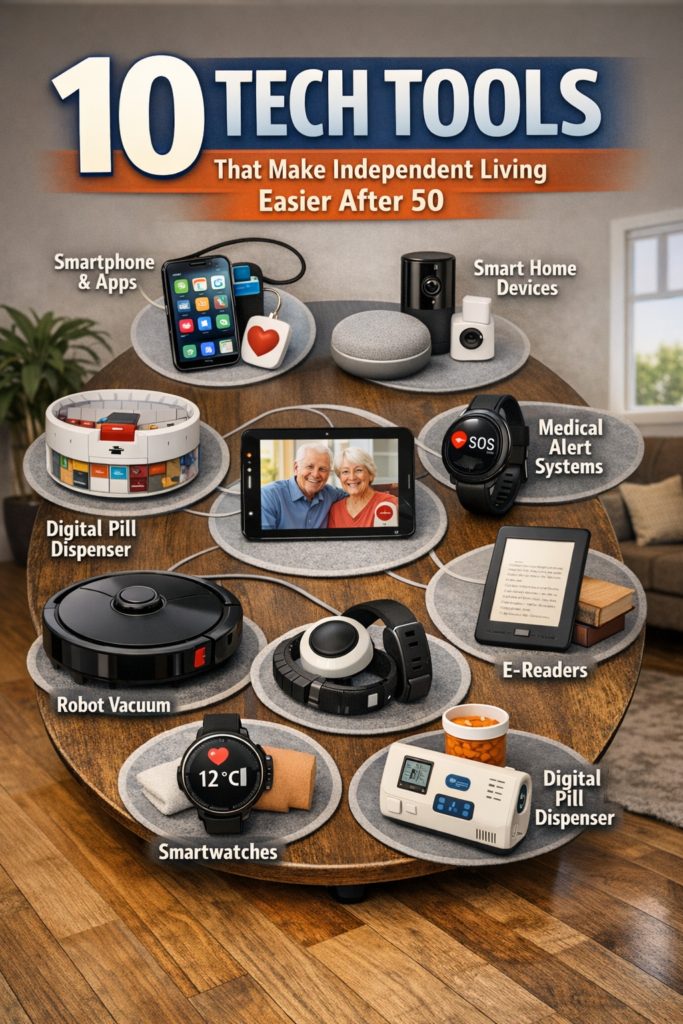
In our article 10 Ways Smart Tech Makes Life Easier After 50, we show that AI is already inside tools you may use, like virtual assistants, health apps, and safety wearables.
Real-World AI Uses For Independent Living
- Medication reminders that adapt when you confirm you’ve already taken a dose.
- Wearables that sense unusual movement patterns and alert a contact if needed.
- Health apps that spot trends in your blood pressure or glucose and suggest when to call a doctor.
AI is not replacing human judgment. It gives you extra information and gentle prompts so you can stay in charge of your choices with more data at your fingertips.
Did You Know?
AI adoption among older adults is rising: about 30% use AI technology, and 58% interact with AI platforms or apps for health guidance.
6. Managing Money And Daily Tasks With Mobile Tech.
Independent living is not just about health. It also means being able to manage money, bills, and errands without relying on someone else for every detail.
With the right routines, your phone or tablet becomes your everyday organizer. You can pay bills, track spending, shop for essentials, and schedule rides without needing multiple in-person trips.
Practical Ways We See Learners Use AgeTech For Daily Life
- Online banking to check balances, move money, and set alerts for large transactions.
- Grocery and pharmacy delivery apps that save time and energy.
- Calendar and reminder apps for bills, events, and medication timings.
We always stress one thing: take it one task at a time. Once you learn a safe way to pay a bill or shop online, you can repeat that process whenever you need it.
7. Staying Connected: Family, Friends, And Community Online
One of the best parts of AgeTech is how it keeps you in the mix with family, friends, and local communities. Video calls, group chats, and community forums can sit side by side on your device with your health and finance apps.
Our lessons focus on simple apps most families already use, so you can be part of the same digital spaces your kids and grandkids use. No one wants another app to learn if it is not needed.
Connection Tools That Support Independent Living
- Video-calling apps for regular check-ins and virtual gatherings.
- Messaging groups for sharing updates, photos, and quick questions.
- Online communities and forums where you can get help with tech and share tips with others over 50.
Connection is not just social. It is also about having a trusted network you can reach quickly if you need help with a decision, a medical question, or a sudden issue at home.
8. Challenging Agism With Real Tech Habits After 50
There is a tired story that adults after 50 “cannot use tech.” Our experience and the data tell a very different story. Older adults own an average of several devices and use them daily for work, hobbies, and health.
In our independent living overview, we talk about how 91% of adults 50+ now own smartphones and use them as everyday tools. That reality directly challenges age-based stereotypes.
Why Respectful AgeTech Design Matters
- Interfaces should respect experience, not talk down or oversimplify everything.
- Training should assume you can learn and need clear examples and time.
- Support communities should be welcoming, not impatient or dismissive.
When AgeTech is built with you, not just for you, independent living becomes a shared project between people, families, and tools, rather than a list of limits.
9. Cost, Reliability, And Choosing The Right AgeTech For You
Cost and reliability are two of the biggest reasons people hesitate about AgeTech. Many tools promise the world, but if they are confusing, expensive, or glitchy, they will not support independent living in practice.
We always suggest starting with what you already own and free or low-cost options. Your smartphone, plus a few well-chosen apps and settings, can cover health, money, and connection without new hardware.
Questions We Encourage Learners To Ask Before Adding New Tech
- Does this solve a real problem in my daily life, or is it just “nice to have”?
- Is there a free or simpler version I can try first, such as a built-in phone feature?
- Who will help me if something goes wrong or if I do not understand a setting?
Our course is built around this practical mindset. We show you how to get more from the tools you already own, rather than pushing you toward constant upgrades.
10. Where To Start: A Simple Roadmap To Independent Living With AgeTech
If you are reading this and thinking, “I do not need all of this, I just want to feel in control,” that is exactly the point. You do not need to learn everything at once to benefit from AgeTech.
We recommend a three-step roadmap that our learners find realistic and manageable. It focuses on building just enough skill to feel steady, not overwhelmed.
Three-Step Starter Plan
- Master your device basics. Use the topics hub to find digital skills content to adjust settings, connect to Wi‑Fi, and move around your apps with ease.
- Add one health task and one money task on your device. For example, view a lab result and pay a single bill online using guidance from our medical-services course.
- Set up one reliable way to connect with family or community. That might be a video call app, a group chat, or joining our online discussions.
As you repeat these tasks, your device stops feeling like a gadget and becomes part of your daily routine. That is the heart of independent living with AgeTech: practical habits that quietly support the life you want.
Conclusion
Independent living with AgeTech is not about chasing every new gadget. It is about using your phone or tablet as a steady, familiar tool for health, money, safety, and connection on your terms.