How 50PlusTechbridge Is Helping Redefine Independent Living.


AgeTech, AI & Wellness After 50:
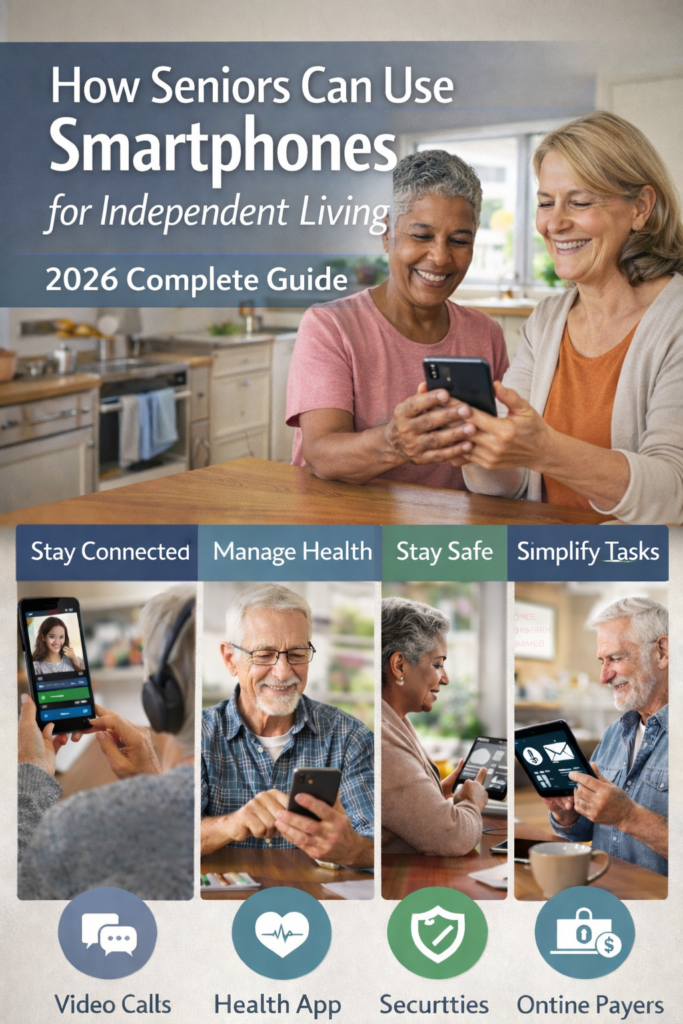
We are living through a decisive shift in how life after 50 looks and feels. With 91% of adults 50+ now owning smartphones, mobile devices, and AgeTech solutions, Wellness AI is quickly becoming an everyday tool for independent living, stronger family connections, and faster access to medical services. In this guide, we share how we see technology helping adults over 50 challenge agism, stay in control of daily life, and use simple phones and tablets as a reliable “command center” for health, safety, and enjoyment.
Key Takeaways
| Question | Answer |
|---|---|
| AgeTech and 50plusTech refer to technologies designed to support life after 50, including smartphones and tablets, smart home devices, health apps, and Wellness AI. | How do I make my phone a simple “window to the world” after 50? |
| Millions of people use AgeTech for work, hobbies, and health, directly challenging age-based stereotypes. | More than many people assume. Our article, “Life After 50 in a Digital World,” shows how people use AgeTech for work, hobbies, and health, directly challenging age-based stereotypes. |
| Can mobile devices really improve access to medical services? | Yes. Simple apps let you book appointments, join telehealth visits, and view test results. Our focused course on Using Mobile Devices for Medical Services walks through each step slowly and clearly. |
| Do adults 50+ actually use advanced technology and AI? | How do I make my phone a simple “window to the world” after 50? |
| Where can I learn the basics before trying Wellness AI tools? | You do not need to start with complex apps. Our Foundation digital skills course builds Confidence by first using step‑by‑step practice on phones and tablets. |
| How do I make my phone a simple “window to the world” after 50? | By focusing on calls, messaging, and video first, then slowly adding health and safety features. We cover this approach inside our course, Lesson 2: Your Cell Phone Window to the World. |
| Where can I see more AgeTech ideas and examples? | Our AgeTech archive collects guides and stories that show how different devices support aging in place, social connection, and wellness. |
1. Aging in place with technology: Why The 50+ Digital Story Is Changing
Agism often assumes that people over 50 are not interested in or capable of using technology. Our daily experience working with learners shows the exact opposite. Adults 50+ are buying phones, tablets, and other smart devices and are asking thoughtful questions about safety, privacy, and tangible benefits.
In fact, 66% of adults age 50+ say technology enriches their lives by making daily life easier. The more we highlight this reality, the more we challenge agism and present a more accurate picture of experienced adults who are curious, capable, and selective about the tools they use.
Challenging Agism With Real Tech Habits
When we meet with learners, we rarely hear, “I cannot learn this.” Instead, we hear clear goals: “I want easier access to my doctor,” “I want to manage my medications, or “I want to see my grandchildren on video.” These are practical, powerful reasons to engage with AgeTech.
By naming and pushing back against agism, we also make it easier for family members and professionals to offer respectful support. Instead of assuming limitations, we focus on training, practice, and the right mix of devices for each person.
Why Technology for Aged Seniors Must Respect Experience
AgeTech that treats adults 50+ as passive users will fail. Tools need to respect a lifetime of problem‑solving and decision‑making. Simple interfaces, explicit language, and honest data practices are not “extras”; they are requirements.
When technology respects experience, we see Confidence grow very quickly. People move from basic calling and texting to health apps, online banking, and smart home controls in a matter of weeks, not years.
2. What Is AgeTech And 50PlusTechBridge In Everyday Language?
AgeTech is a simple name for technology that supports aging well. It includes mobile phones, tablets, smartwatches, home sensors, and software that keep people safe, informed, and connected as they age.
We use the phrase 50PlusTech to describe the tools and learning paths that reflect the realities of life after 50. Our platform, often called 50PlusTechBridge, connects these tools with training, community, and guidance so that technology feels like a friendly help, not an extra burden.
Key AgeTech Areas We Focus On
- Communication (calling, messaging, video chats, shared photos)
- Safety and monitoring (fall alerts, location sharing, home cameras, emergency contacts)
- Medical service access (telehealth, online portals, prescription renewals)
- Daily tasks (reminders, calendars, online shopping, transport apps)
- Wellness AI (coaching, symptom checkers, activity reminders, mood tracking)
When all these pieces come together, a phone or tablet becomes a central tool that supports independent living rather than a gadget that sits in a drawer.
Why We Built Guides Instead Of Just Product Lists
We saw that many adults 50+ were offered devices with no explanation of how those tools fit real life. Our guides, such as our AgeTech overview, walk through use cases first, like “how do I safely age in place” or “how do I stay in touch with family overseas”.
Only after the goals are clear do we help match device features to needs. This approach reduces frustration and makes every purchase more useful and more enjoyable.
3. Independent Living: How Mobile Devices Support Aging In Place
For many adults after 50, the top priority is simple: “I want to stay in my own home as long as possible.” AgeTech and 50PlusTech tools can make that vision a reality by combining communication, safety, and health support into a single, familiar device.
We help learners start small. Often it begins with a smartphone that supports clear calls, manageable texting, and one-tap video. Once these basics feel natural, we gradually add apps and features that extend independence, from refill reminders to smart-home controls.
Mobile Features That Directly Support Independence
- One-touch emergency calling from the lock screen
- Medication reminders with clear on-screen alerts and optional sounds
- Calendar alerts for bills, appointments, and important events
- Transportation apps to request rides when driving is not desired
- Smart-home apps to control lights, locks, and thermostats remotely
These features reduce dependence on others for tasks such as scheduling, transportation, and home management. They also give family and caregivers peace of mind without constant check‑ins.
Matching Device Types To Independence Goals
| Goal | Best Primary Device | Why It Helps |
|---|---|---|
| Frequent calls and messaging | Always nearby, quick access to contacts, and voice commands | A bigger screen reduces eye strain and improves video quality |
| Comfortable video calls and reading | 10-inch tablet | Bigger screen reduces eye strain and improves video quality |
| Hands-free reminders and help | Phone plus smart speaker | Voice control for timers, lists, and questions without touching screens |
Did You Know?
71% of adults 50+ use health-tracking apps, and 51% use AI-powered voice assistants, indicating that wellness tools and intelligent assistants are already part of daily routines for many in this age group.
4. Using Mobile Devices For Better Medical Service Access
One of the most practical benefits of AgeTech is faster, clearer access to medical services. With a carefully set up phone or tablet, you can schedule visits, ask follow‑up questions, view test results, and manage prescriptions without sitting on hold or waiting in long lines.
We design our trainings to walk through each step: creating secure logins, navigating patient portals, joining video visits, and storing key information where you can find it quickly in an emergency.
Core Medical Tasks You Can Handle With Your Phone Or Tablet
- Book or reschedule appointments without calling the office
- Join secure video visits for follow‑ups or non‑urgent issues
- View lab results, visit summaries, and doctor notes
- Request prescription refills and check pharmacy status
- Store a photo of your medication list and allergies for quick reference
We encourage learners to practice these tasks when they are not under pressure. This builds Confidence, so that when a health issue arises, the digital tools feel familiar rather than stressful.
Making Telehealth Comfortable And Safe
Telehealth can feel strange at first, but many adults 50+ find it highly convenient once they know what to expect. We recommend a simple routine: test your camera and sound, check your internet, and have your medication bottles and questions ready before the visit starts.
We also emphasize privacy practices, such as using your clinic’s secure apps and avoiding public Wi‑Fi for sensitive conversations whenever possible.
5. Wellness AI: From Buzzword To Practical Daily Support
Wellness AI refers to software that uses artificial intelligence to support health and daily routines. Examples include symptom checkers, medication organizers, sleep and activity trackers, and voice assistants that can answer basic health questions or set wellness reminders.
Among adults 50+, AI usage is growing quickly. Many people already use it without attaching the “AI” label, such as asking a voice assistant about exercise tips, using an app that suggests walking goals, or letting a watch track heart rate and sleep patterns.
Simple Wellness AI Use Cases After 50
- Medication coaching: Gentle reminders with explanations, not just alarms
- Activity suggestions: Adjusted to your actual daily steps and comfort
- Sleep insights: Helping you notice patterns to discuss with your clinician
- Mood check‑ins: Private logs that you can choose to share with a professional
- Health information: Plain language summaries of topics you want to explore
We encourage learners to treat Wellness AI as a supportive companion, not a replacement for a doctor. It can help you organize your life and ask better questions, while medical decisions stay with you and your care team.
Staying In Control Of Your Data
Privacy is a significant concern, and it should be. We guide learners to review settings, understand what data an app collects, and decide which features they feel comfortable using. Small choices, such as using strong passwords and enabling two‑step verification, go a long way.
We also explain how to spot low‑quality or misleading wellness tools, so you are not relying on unverified information when your health is at stake.
6. Building Foundation Digital Skills For 50PlusTech Confidence
Independent living with technology starts with Confidence in the basics. We structure our foundational digital skills lessons to cover core actions, including tapping, swiping, adjusting settings, connecting to Wi‑Fi, and keeping devices updated.
Once these foundations are in place, learners pick up more advanced skills, such as installing apps, managing storage, and using security features, much more quickly. Simple repetition and patient practice are the keys.
Skills We Prioritize In Early Sessions
- Recognizing icons and standard buttons on phones and tablets
- Using volume controls, brightness, and text size settings
- Connecting safely to home Wi‑Fi networks
- Creating and storing passwords in a secure way
- Practicing basic troubleshooting steps before asking for help
We keep group sizes small or work one‑on‑one when possible, because individual attention helps people ask questions they might hesitate to ask in larger settings.
Practice That Fits Real Life
Instead of abstract exercises, we use scenarios like “send a photo to a family member”, “add your doctor as a contact”, or “set a reminder for your physical therapy visit”. This makes every new skill feel immediately useful.
With this approach, we see learners quickly move from uncertainty to active exploration, which is the mindset that best supports lifelong learning with technology.
7. Your Cell Phone As A Window To The World After 50
In our lesson “Your Cell Phone Window to the World, we show how a single device in your pocket can support information, connection, and safety throughout the day. The goal is to make the phone feel like a friendly assistant instead of a complicated gadget.
We start with calls, texts, and contact management, then layer in features like video calls, photo sharing, voice assistants, and simple health apps.
Everyday Scenarios Your Phone Can Handle
- Checking bus times or ride‑share options before leaving home
- Asking a voice assistant for directions, translations, or quick facts
- Taking photos of documents or medication labels for later reference
- Participating in group chats with family or local community groups
- Listening to audiobooks, podcasts, or music for relaxation
These everyday uses help adults 50+ stay engaged, informed, and mobile, which is central to independent living.
Accessibility Tools That Make Phones Easier To Use
Modern devices include powerful accessibility settings. We regularly enable larger text, bolder contrast, hearing aid compatibility, and voice control for our learners.
Once configured correctly, a device that felt intimidating often becomes much more comfortable to use for more extended periods.
Did You Know?
55% of adults 50+ report using AI for purposes such as health information and social connection, indicating that more than half of this age group already has some experience with AI-powered tools.
8. Smart Devices, Safety, And Aging In Place With Confidence
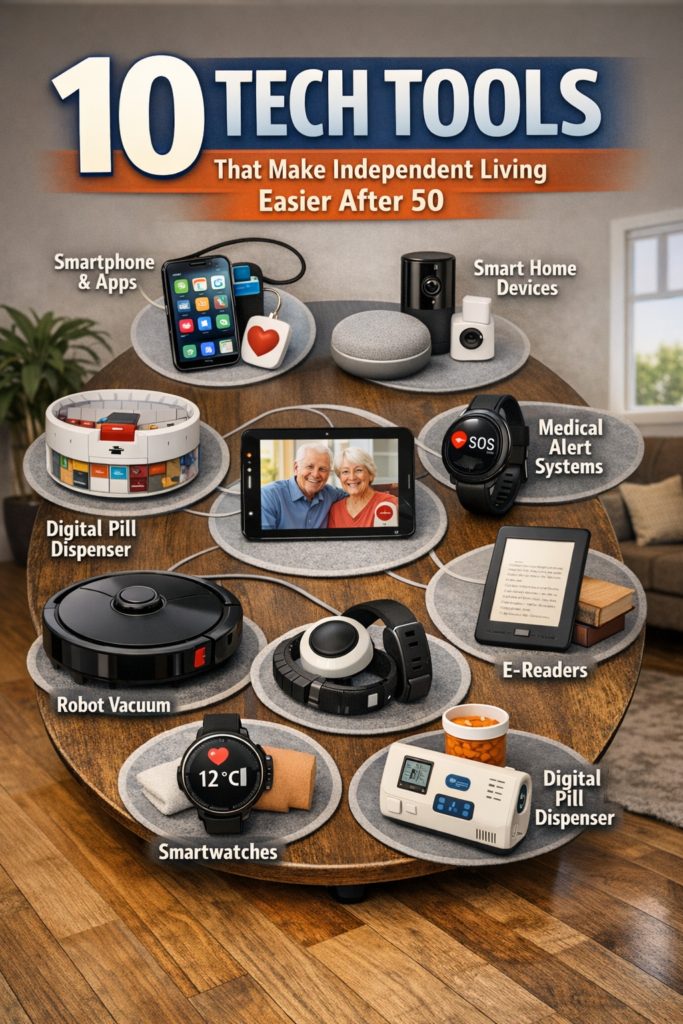
AgeTech is not limited to phones and tablets. Many adults 50+ are using smart home devices to enhance safety and convenience, especially when living alone or as part of a caregiving network.
Examples include smart locks, video doorbells, motion sensors, and connected lights that turn on automatically at night. These tools can reduce falls, deter unwanted visitors, and provide quick visual checks from a phone if something seems unusual.
How AI Enhances Home Safety
- Fall detection that automatically contacts chosen caregivers
- Unusual activity alerts when routines change sharply
- Voice‑activated help if reaching a phone is difficult
- Automated lighting to reduce trip hazards at night
When combined with traditional supports like neighbors and family, these innovative features make aging in place more realistic for many households.
Respecting Privacy While Using Safety Tech
We always discuss what each device can see or record and who has access to it. Some people prefer indoor sensors that detect motion without cameras, while others are comfortable with video for doorways only.
The right balance is personal. Our role is to explain options clearly so you can choose what makes you feel secure rather than watched.
9. Learning Pathways: From First Tap To Confident 50PlusTech User
We see the best results when learning follows a clear, supportive pathway. This means starting with basic digital skills, then building phone confidence, improving medical access, and finally integrating Wellness AI and smart home tools.
Adults 50+ do not need rushed crash courses. They benefit from structured, repeatable lessons, time to practice at home, and ongoing access to communities where they can ask follow‑up questions.
A Sample Learning Journey We Recommend
- Foundation digital skills: get comfortable with the device itself.
- Phone as window to the world: focus on communication and connection.
- Using mobile devices for medical services: add health and portal skills.
- Exploring Wellness AI: try simple trackers and voice helpers.
- Smart home and safety tools: add features for aging in place.
At each step, we review safety basics, practice scenarios, and how to seek help if something on the screen is confusing or looks suspicious.
Agism-Free Learning Environments
We carefully design our learning spaces, in person and online, to be free of anti- comments or assumptions. Questions are welcome, repetition is expected, and we adjust pace based on the group, not on age stereotypes.
This respectful environment is often what learners tell us they value most, even more than the specific apps or tips.
10. The Future Of AgeTech, Wellness AI, And Life After 50
We believe the future of AgeTech and Wellness AI will be shaped directly by the voices of adults 50+. As more people in this age group adopt smart devices and AI tools, companies will have to prioritize clarity, respect, and practical value.
Already, 30% of adults 50+ report use or interest in generative AI
Key Directions We Are Watching
- More brilliant wellness coaching that adapts to your medical history and preferences
- Safer AI assistants that clearly state when they are not a clinician
- Community-based AgeTech, such as citywide safety and transport tools
- More inclusive design that considers vision, hearing, and mobility from the start
Each of these trends has the potential to reduce the daily friction that often leads people to feel less independent than they would like.
Keeping Humans At The Center
No matter how advanced AgeTech and Wellness AI become, we believe human relationships will remain central. Technology should remove barriers and save time, so you can spend more of your energy on the activities and people that matter most.
Our commitment is to keep technology in its proper role: a strong, supportive tool that helps you live the life you choose, not a replacement for your judgment or your connections.
Conclusion
Agism says that adults after 50 cannot or will not use advanced technology. Our experience and the rapid growth of AgeTech and Wellness AI tell a very different story.
With the proper guidance, mobile devices and tablets become powerful tools for independent living, improved access to medical care, and daily wellness. We are committed to walking beside you through each step, from the first tap on a screen to confident use of 50PlusTech tools that support the life you want
Subscribe to our newsletter to stay updated, and follow us on social media to join our growing community of tech-empowered retirees!
Have questions about a specific technology or topic you’d like us to cover? Leave a comment below or reach out at [your contact info].